

Microsoft announced, again, that there are ways to turn off AI features in Bing Search. We covered it twice before, but the first time we covered it, Bing had a search setting to disable AI Search (aka Copilot) from showing up in Bing. The second time, Bing removed that setting and asked people to download a browser extension or add -ai to the query to disable AI search features.
Jordi Ribas from Microsoft wrote on X "In a nutshell, there are two ways to do this (1) our Microsoft Bing AI Search Choice extension (preview) which lets you toggle AI features with just one click, and (2) adding the “-ai” parameter in any query e.g. try “why is the sky blue” and then “why is the sky blue -ai”."
He admitted it is not new, "Recently, we have received much interest about the ability to turn on/off AI features in Bing, so we have written a blog to explain how it works." And then explained why he is sharing this again, "We enabled these features because we believe everyone deserves a search experience that works for them, including the choice to decide how and when they use AI."
But who is adding -ai as an operator to their search queries and who is downloading a browser extension? Why did Microsoft Bing remove the search setting that can turn off AI features in search, that is the most logical place to put the setting - no?
Of course, Microsoft got what they wanted from re-announcing this feature. I saw several news sites pick this up as a new way to remove AI search features in Bing and praise Bing for offering it. I saw even more mentions of this on social media... And yes, it is great Bing offers a way to turn off AI features.
But I find it weird and maybe even suspicious that Bing had a setting to turn off AI features in search and removed it. It was a feature, here is a screenshot of it from 2024:

The setting reads, "Copilot response on result page: Choose if you want to see Copilot responses on the search result page." And there is another setting that reads, "Scroll to open Copilot: Choose whether you would like Copilot to open when you scroll/swipe up at the top of the page."
Where is that setting? So now I need to download an extension on my browser to do this or remember to append -ai to my queries?
Here is a screenshot of this extension:
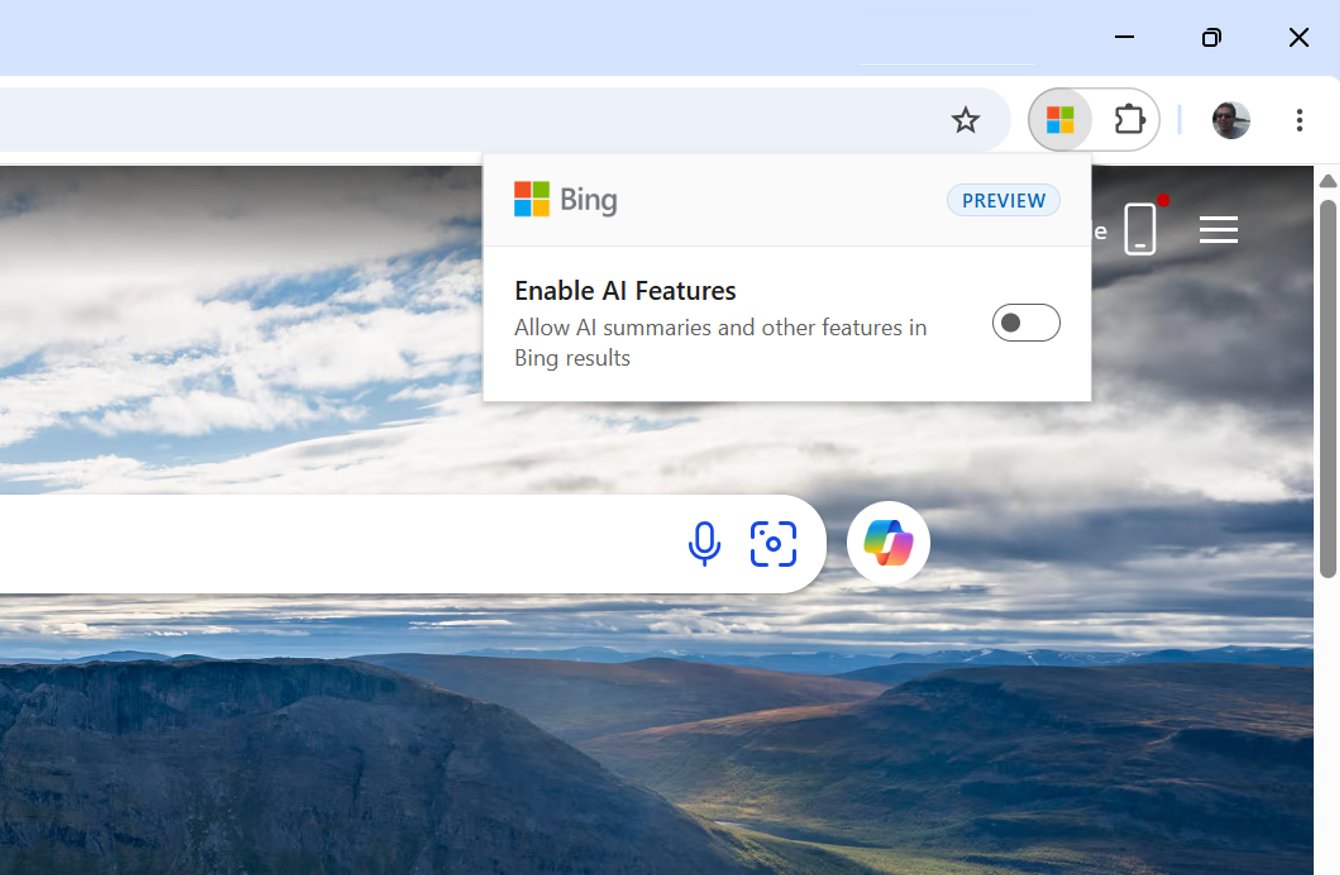
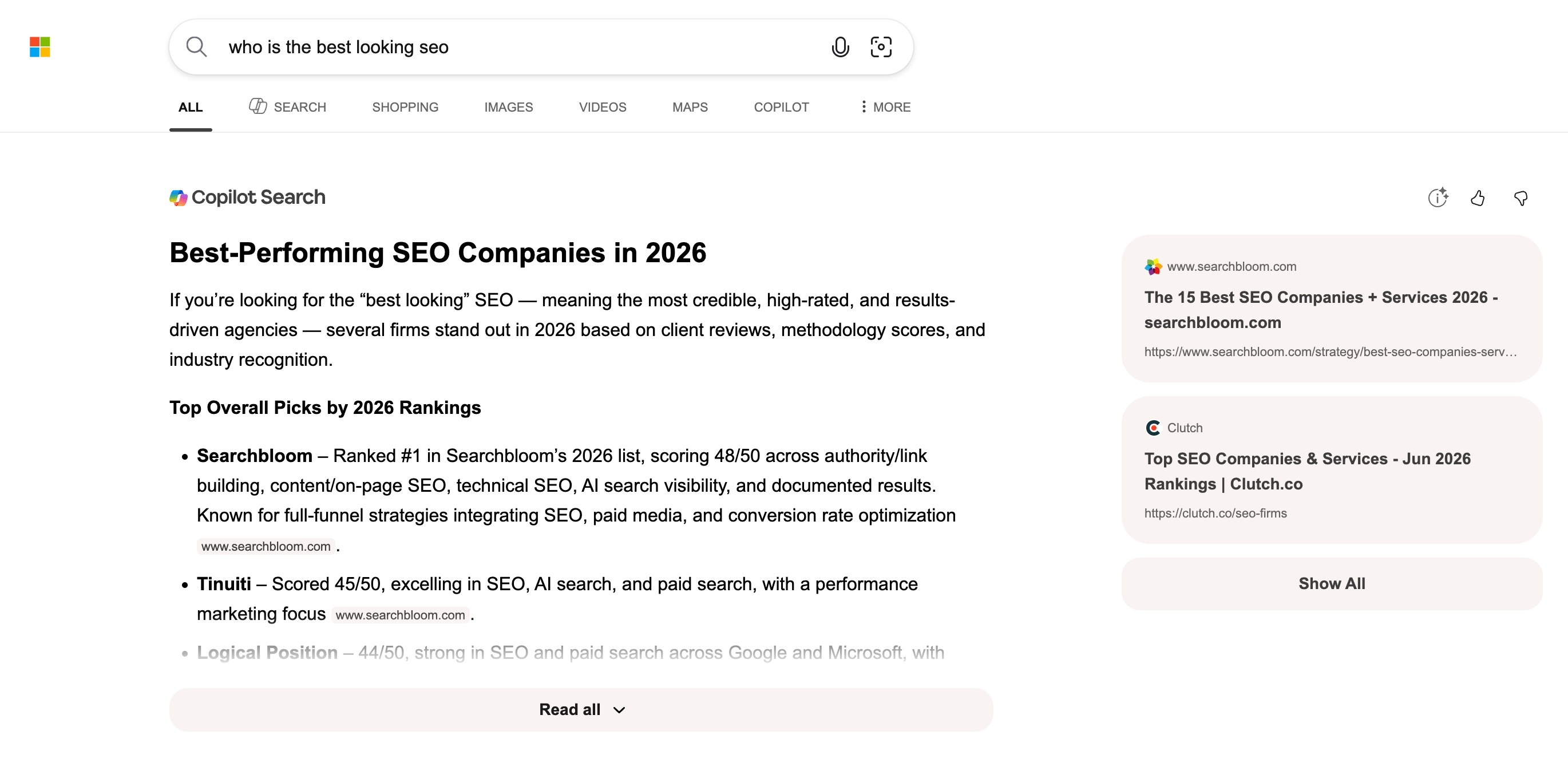
You don't need to use the extension, you can also append -ai to your query to do the same thing. For example, here is a normal query without the -ai:
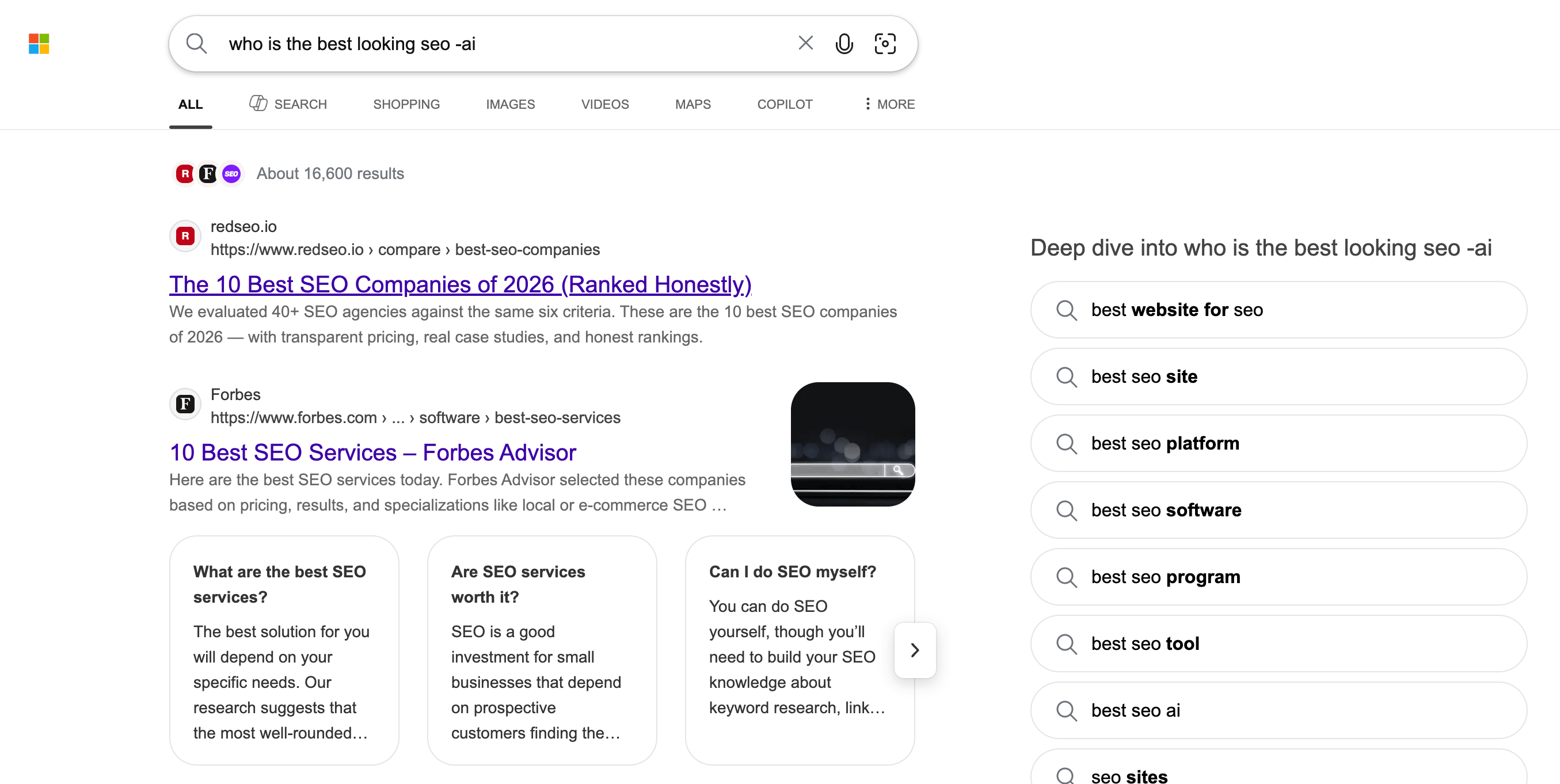
Now the same query with the -ai:
Again, it is awesome Bing offers these methods but why not add it as a setting in the search settings?
Forum discussion at X.