
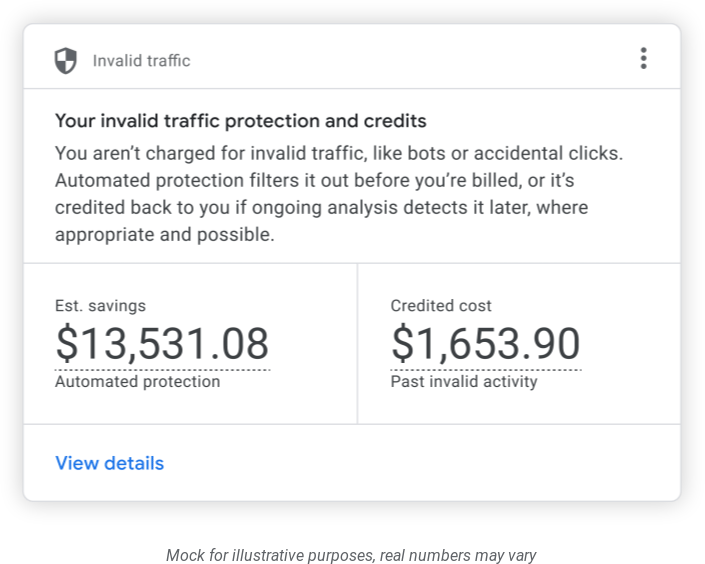
Google Ads announced a new Invalid Traffic (IVT) overview card within Google Search. Google's Keerat Sharma wrote, "We’re rolling out the Invalid Traffic Overview Card in Google Ads to give advertisers front-end transparency into how we protect their campaigns."
This will allow advertisers to see the actual amount saved and the credits Google automatically provides for invalid activity.
"We don’t charge for invalid traffic, and our multi-layered defenses have always worked in the background to catch it before an advertiser is billed. We issue a credit when it’s detected later, where appropriate and possible. Now, for the first time, businesses can see both the amount saved and the credits we automatically provide for invalid activity," Keerat Sharma added. "So far in 2026, we’ve reduced advertiser exposure to invalid leads by an average of 30% through continuous system upgrades," Keerat added.
Here is a screenshot of what this Invalid Traffic (IVT) overview card looks like in Google Ads:
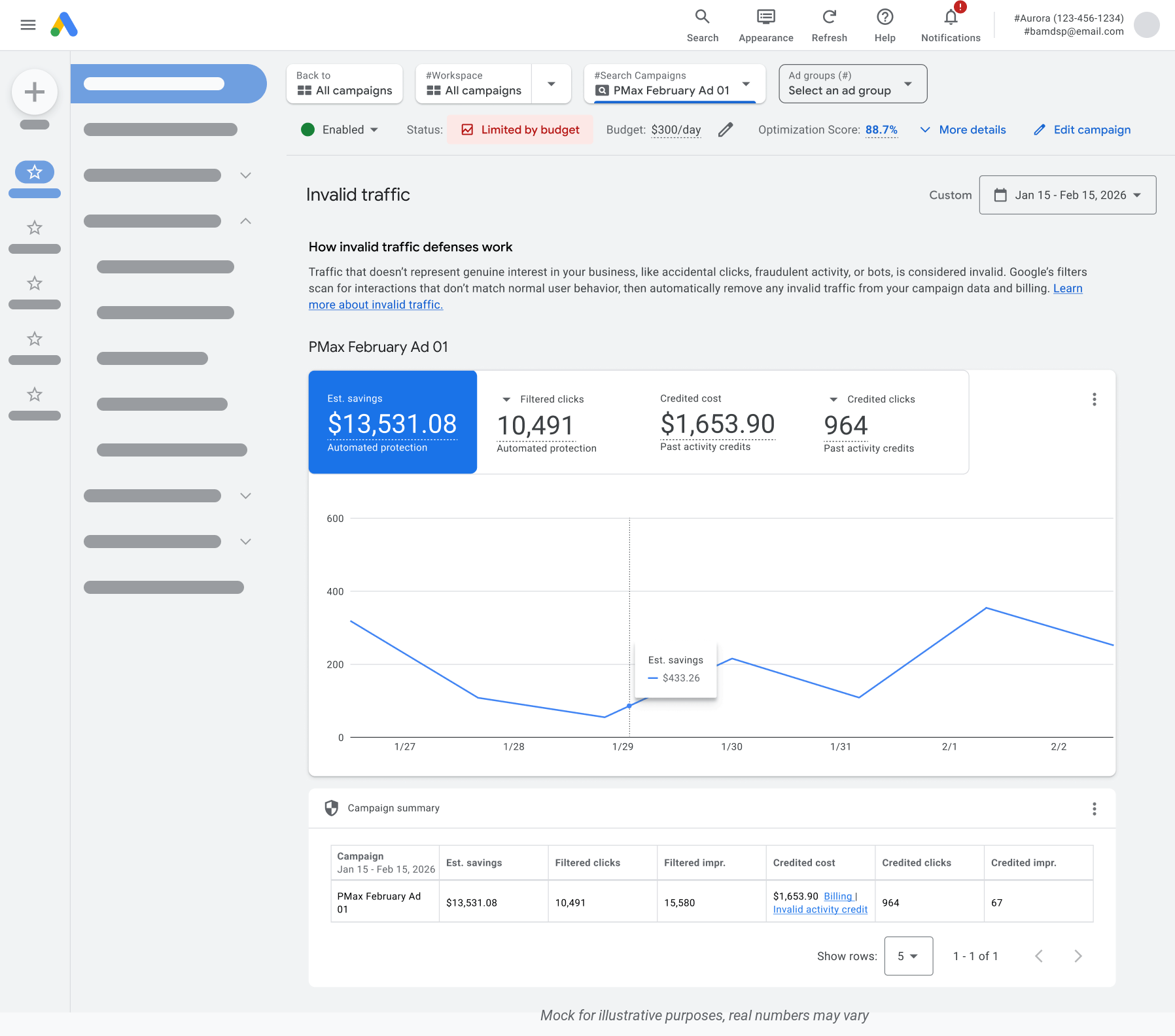
Here is the detailed report:
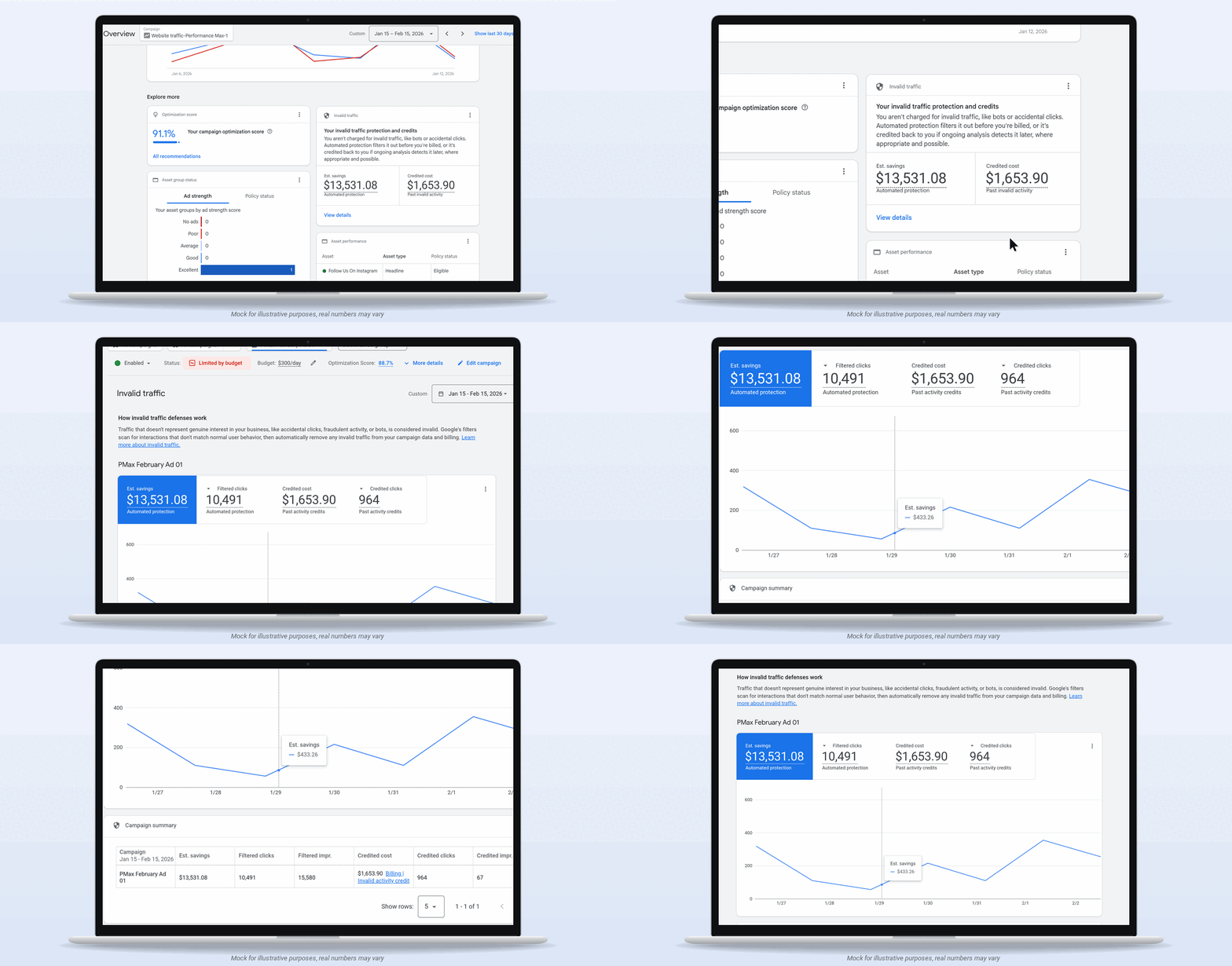
Here is a GIF of this report in action:
There is a help document on this new feature and it was updated to say:
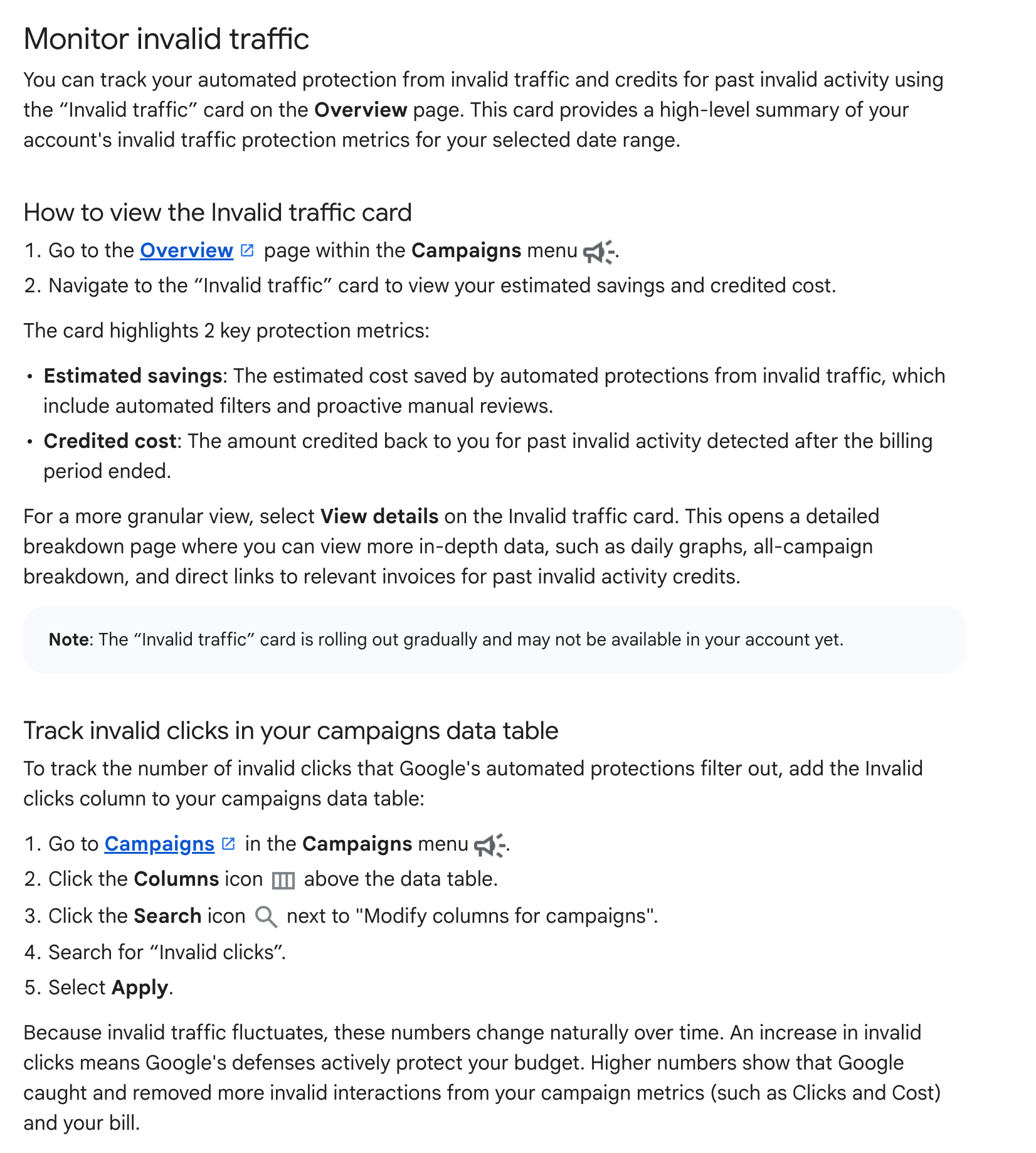
You can track your automated protection from invalid traffic and credits for past invalid activity using the “Invalid traffic” card on the Overview page. This card provides a high-level summary of your account's invalid traffic protection metrics for your selected date range.
Here is a screenshot of the new section in this document:
What you can track:
1. Estimated Savings: What Google's automated filters and proactive reviews saved during your selected date range by catching things like bots, click farms, and accidental clicks before billing. This is when our defenses catch the vast majority of IVT, keeping it off your invoice entirely.
2. Credited Cost: Credits automatically applied to your account for invalid activity detected after a monthly billing cycle has closed.
3. Daily & Campaign Breakdowns: Click "View details" to analyze daily trends and campaign-level data, or download the reports to share with stakeholders. Rolling out globally starting this week. Look for the card under the Campaigns tab on the Overview page in your account.
— AdsLiaison (@adsliaison) November 12, 2026
Forum discussion at X.