Google Ads now lets you preview the assets generated by Google AI for your Google Ads AI Max campaigns. Google added these details to the About text customization in Search campaigns help page under a new section named "Text customization asset previews."
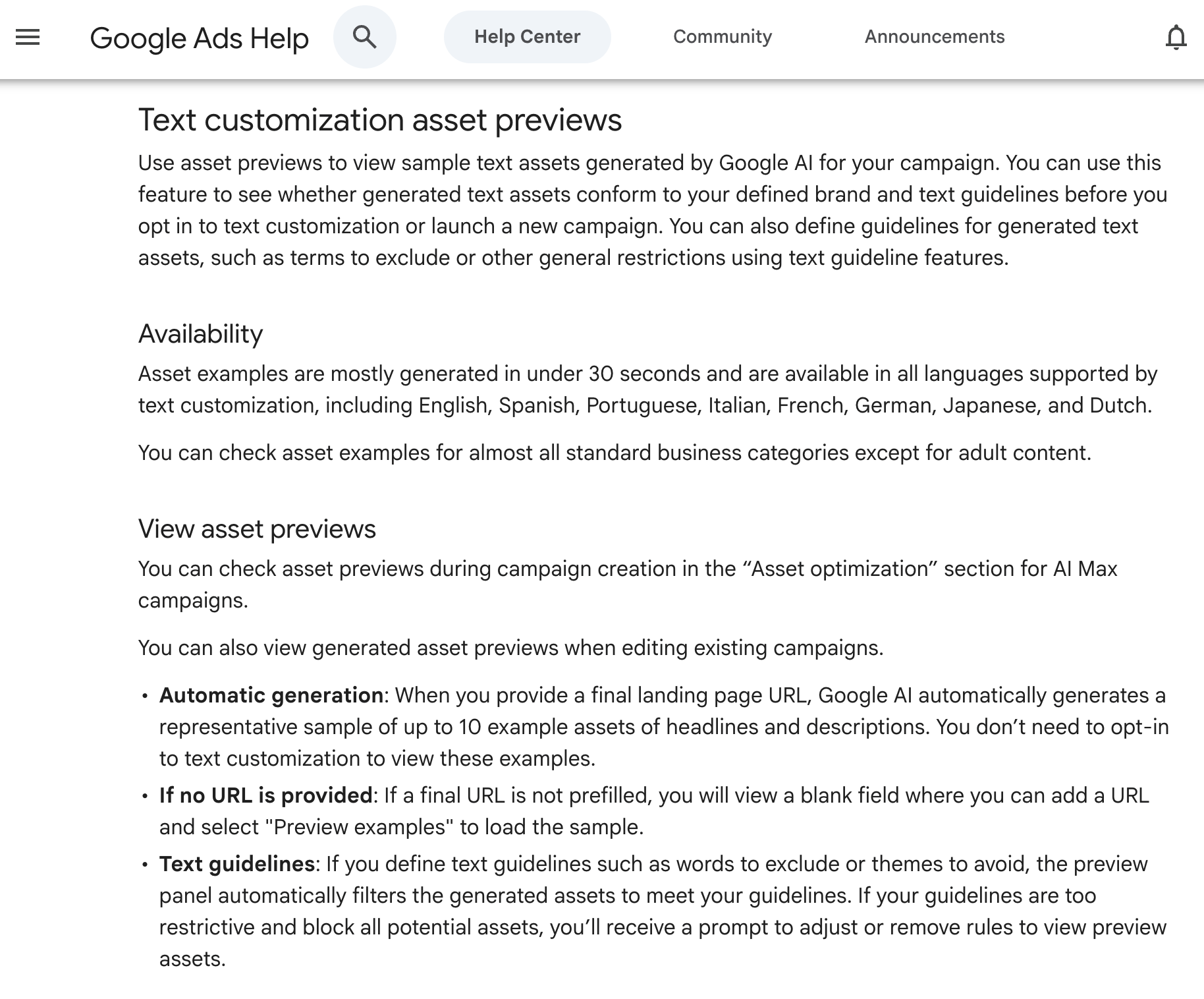
The new section says, "Use asset previews to view sample text assets generated by Google AI for your campaign. You can use this feature to see whether generated text assets conform to your defined brand and text guidelines before you opt in to text customization or launch a new campaign."
I spotted this via Hana Kobzová who wrote about this on PPC News Feed who said, "Advertisers can now view sample AI-generated headlines and descriptions before opting in or launching a campaign. This new feature addresses the concern of not knowing what the AI will generate beforehand."
Google wrote, "Asset examples are mostly generated in under 30 seconds and are available in all languages supported by text customization, including English, Spanish, Portuguese, Italian, French, German, Japanese, and Dutch."
Google added:
- Automatic generation: When you provide a final landing page URL, Google AI automatically generates a representative sample of up to 10 example assets of headlines and descriptions. You don’t need to opt-in to text customization to view these examples.
- If no URL is provided: If a final URL is not prefilled, you will view a blank field where you can add a URL and select "Preview examples" to load the sample.
- Text guidelines: If you define text guidelines such as words to exclude or themes to avoid, the preview panel automatically filters the generated assets to meet your guidelines. If your guidelines are too restrictive and block all potential assets, you’ll receive a prompt to adjust or remove rules to view preview assets.
Here is a screenshot of the new section:
Forum discussion at X.