You can now download your historical Google Local Services Ads reports on the redirection page of Google Local Services Ads. Previously, Google said the download feature was coming and now Google said it is finally here.
The historicla reporting should be available to download on the redirection page in Local Service Ads.
As a reminder, Local Service Ads is transitioning to Google Ads and the Google help document was updated to say:
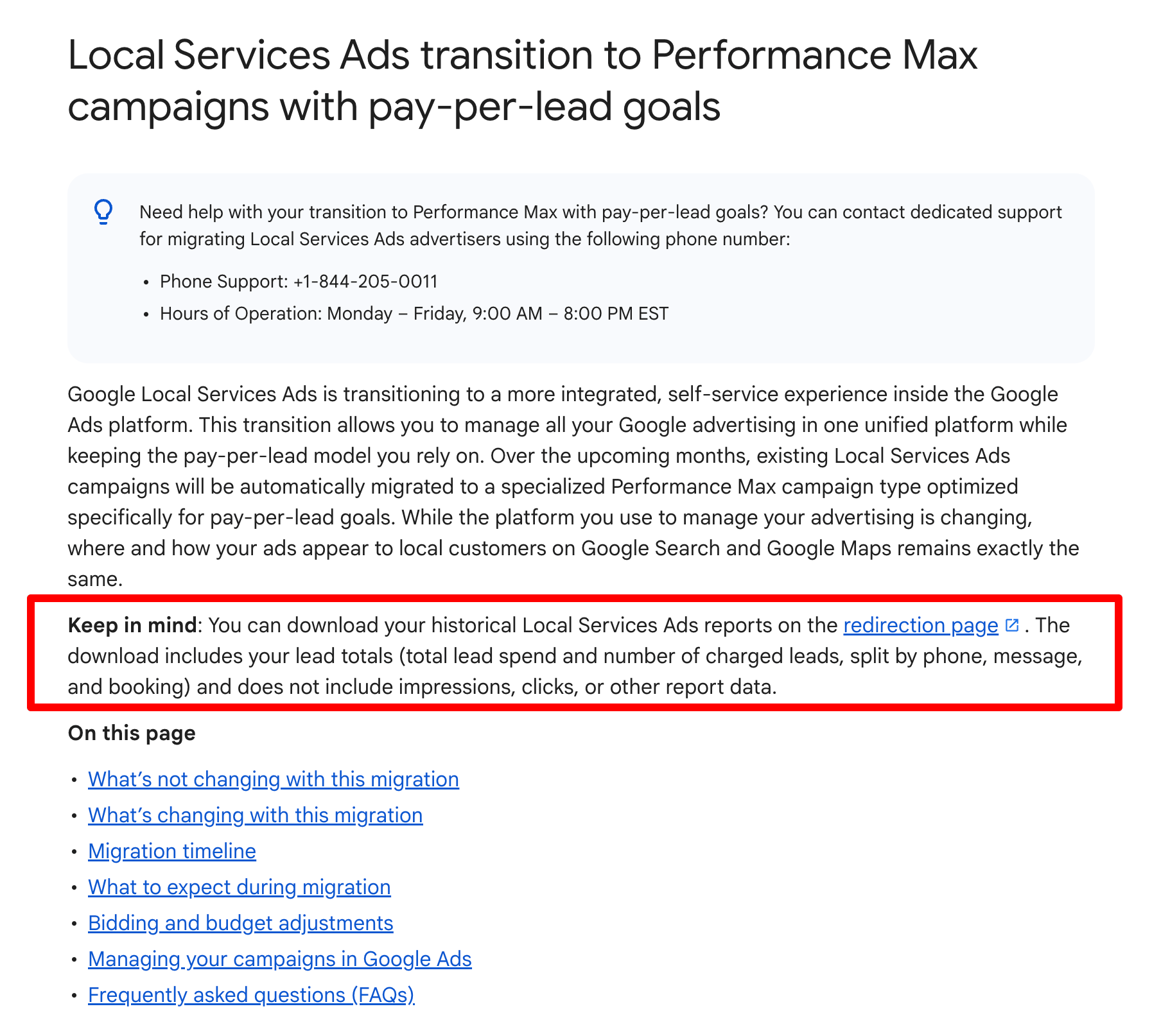
You can download your historical Local Services Ads reports on the redirection page. The download includes your lead totals (total lead spend and number of charged leads, split by phone, message, and booking) and does not include impressions, clicks, or other report data.
It previously said the archived version:
Your Local Services Ads performance reports will not transition to Google Ads. You'll be able to download your historical reports soon on the redirection page. If you need your reports immediately, please take screenshots of them before migrating.
Here is a screenshot of this section:
There are more changes in this document and they include:
Old:
Weekly to daily budgets: Your historical average weekly budget is automatically divided by 7 to determine your daily average budget. This change does not affect your monthly spend, which is capped at your daily average budget multiplied by 30.4 (the average number of days in a month). Daily spend may fluctuate on high-demand days, but your monthly billing will not exceed this limit.
New:
Weekly to daily budgets: Your historical average weekly budget is automatically divided by 7 to determine your daily average budget. This change does not affect your monthly spend, which will not exceed your daily average budget multiplied by 30.4 (the average number of days in a month). Daily spend can fluctuate on busy days within your monthly spend limit.
Old:
Access the Leads page in Google Ads: To check, download, or interact with your leads, navigate to the “Goals” dropdown, click Conversions, and select Leads. This table replaces your Local Services Ads lead inbox, so you can continue to communicate with your customers. It has all the same features that you’re used to, including “charged” status, lead type (call, message, etc.), a lead feedback form and the ability to download your leads to import into your own CRM.
New:
Access the Leads page in Google Ads: To check, download, or interact with your leads, navigate to Leads within the Goals menu Goals Icon. This table replaces your Local Services Ads lead inbox, so you can continue to communicate with your customers.Note: Manual lead disputes are no longer supported. Learn more about Lead quality and budgets for campaigns with pay-per-lead goals.
Forum discussion at X.